Transcript...
Transcript
So we’re well on our way to planning and sharing schedules with our team.
Now it’s time to talk about the physical objects we’ll need to make our projects happen.
I’m going to use the word inventory a lot here, but let me clarify what that means.
In Propared, inventory isn’t just what you own—it’s everything you use to make productions happen. That includes things you own, buy, rent, or borrow. You can track all of these resources in one place, but we’ll still call them “inventory.”
Propared isn’t primarily designed as a rental shop system—it’s meant for production teams. You can absolutely use it to share what you have for rentals if you like, but I’m going to focus on the production workflow.
If you only have access to the Project Management features, you can still maintain a simple inventory—perfect for small organizations with just a few shared items, like ladders or projectors, and want to track who’s using what.
If you have the Inventory Module, you’ll get expanded features like full cataloging, mobile app access, QR codes, and inventory pages in production books.
I’ll walk through the full inventory module, but remember that the basic setup in the Items screen is also available for Project Management users.
⸻
Building the Inventory
When we set out to design inventory tracking, we had three main goals:
1. Make it easy to find what you already have.
2. Make it easy to share with people who aren’t familiar with your inventory.
3. Make it simple to update, while accommodating the unique needs of different departments.
Let’s dive in.
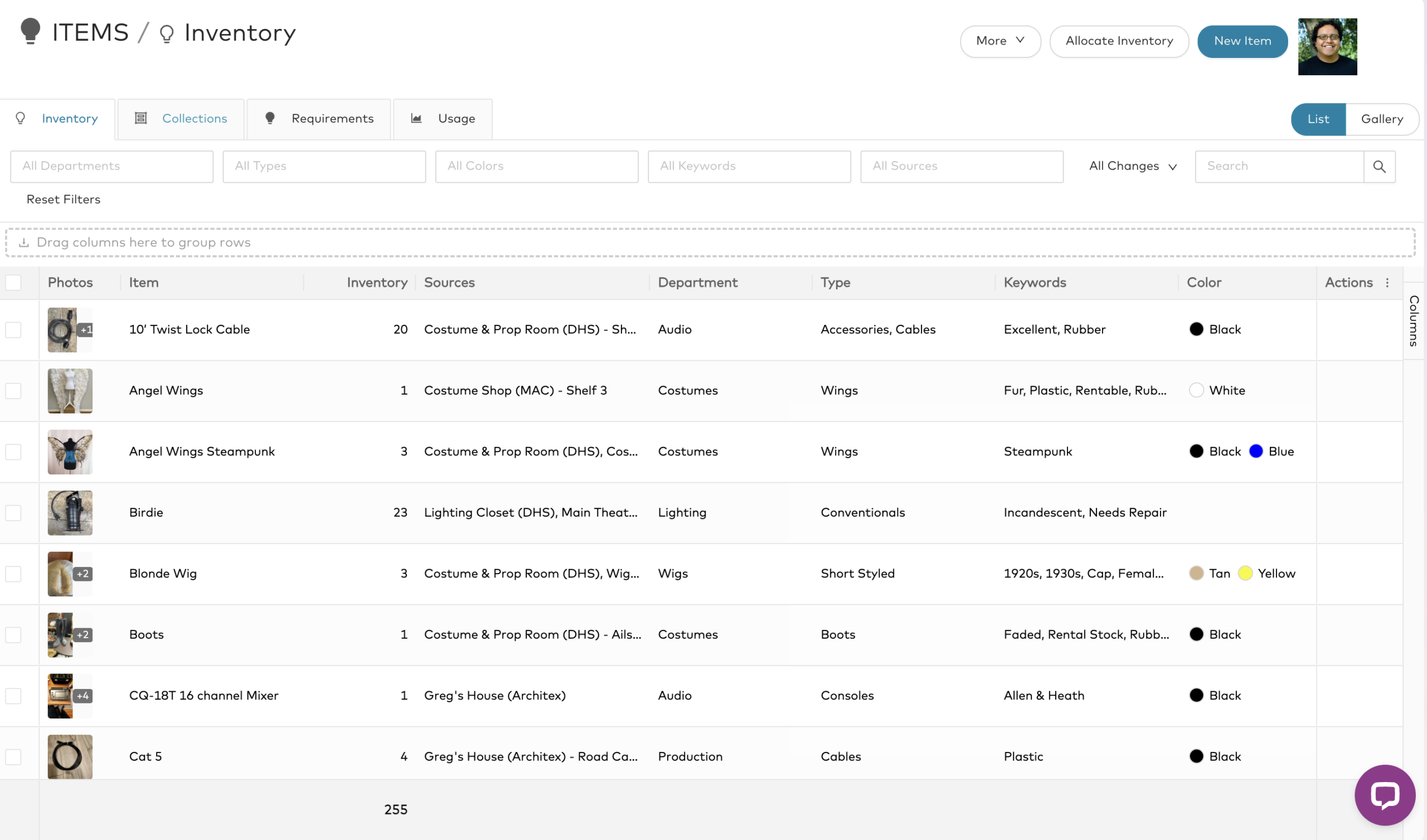
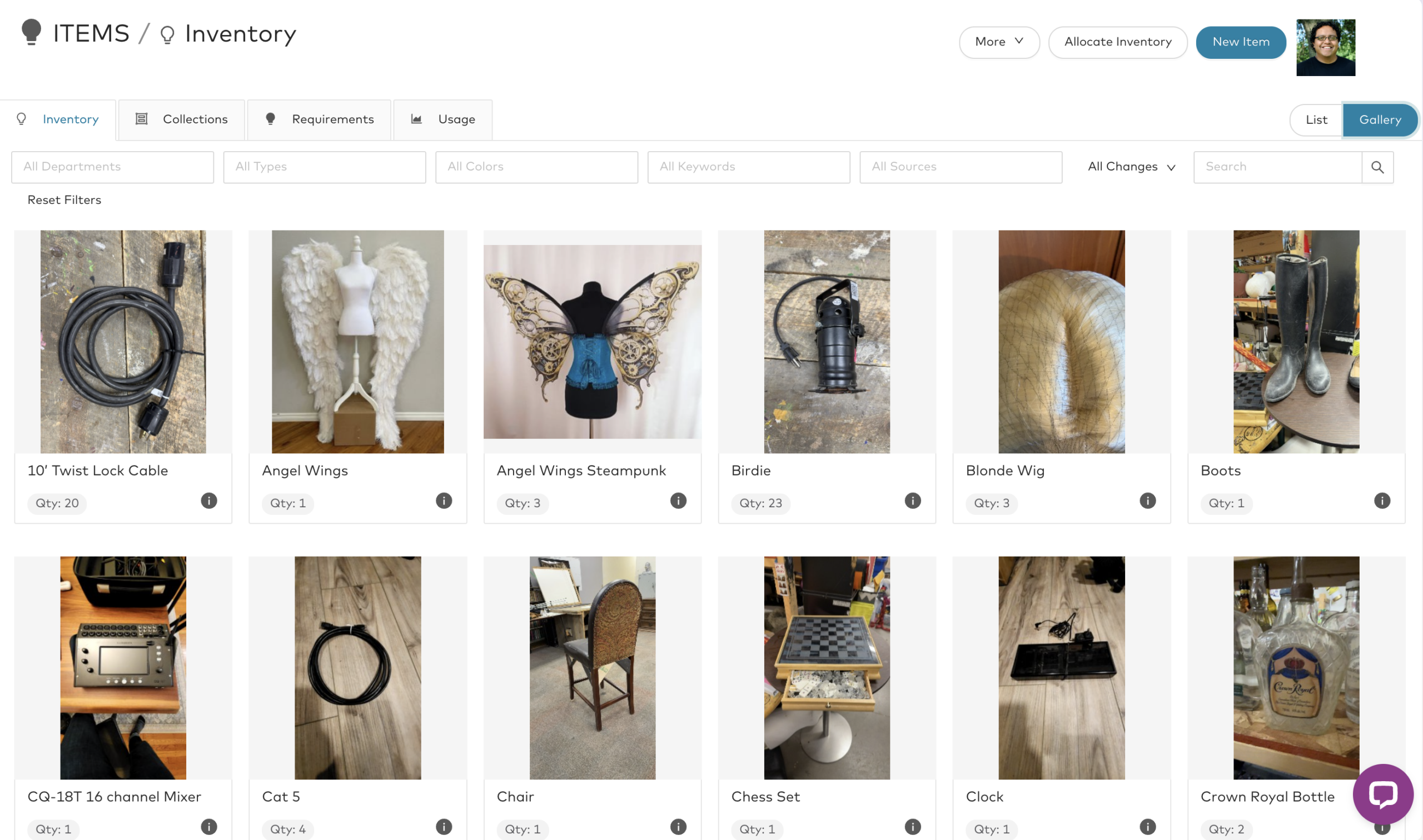
Go to the Items screen, then the Inventory tab.
This is your catalog of items—lighting and sound equipment, tables and chairs, props, costumes, perishables, even services you provide.
Inventory items aren’t project-specific—they act as a shared library you can pull from for any project.
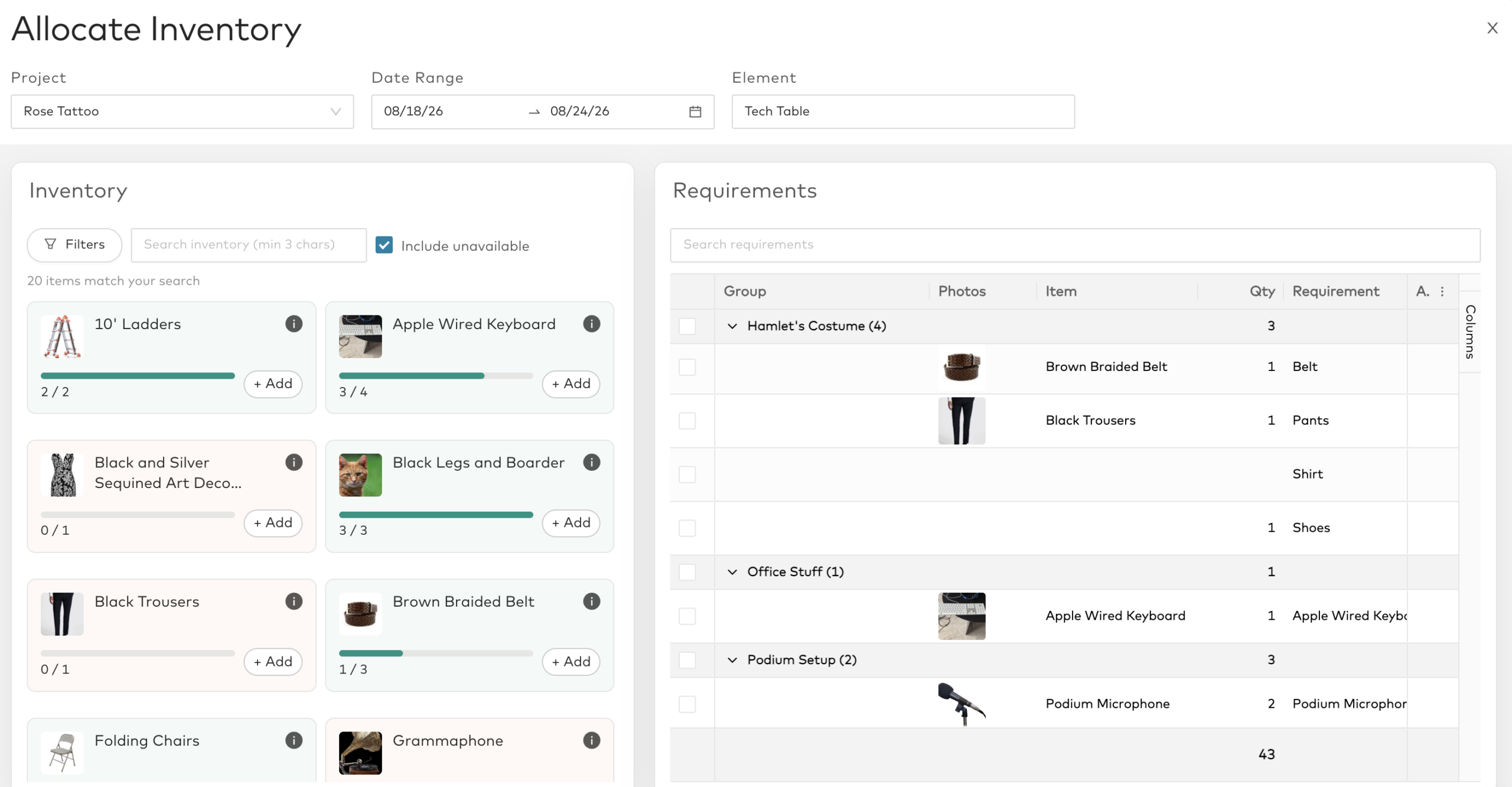
Once your items are created, you can add them to projects through the Requirements tab, which ties directly into budgeting.
Let’s make our first item from scratch.
Click New Item. The only required field is a name.
I’ll make one for our venue’s 10-foot ladder.
The ladder belongs to our Production department, and departments are crucial—they determine which types and keywords you can use.
Each department can have its own set, but you can also filter and search across departments.
⸻
Tags: Types, Keywords, and Colors
Propared’s tag system is built to match how different departments think and work.
Tags help describe, organize, and filter your items meaningfully.
They’re department-specific, so you’ll only see options relevant to your work.
If I’m in Production, I’ll see production-related types; switch to Props, and the options change.
After reviewing hundreds of inventories, we built default lists of types and keywords as a starting point—fully customizable to your org’s language and workflow.
Let’s look at how to manage these tags.
Go to Settings → Tag Lists. You’ll see three tag types:
• Types – what an item is
• Keywords – attributes or properties
• Colors
Here’s something important:
These tags aren’t just for internal use.
If you share your inventory with designers, students, renters, or vendors, they’ll use your tags to find things—so build lists that are intuitive for them too.
Keep it simple. For example, instead of “vermillion” or “scarlet,” just tag “red.”
Types describe what an item is.
For example, under “Hats,” there might be Baseball Cap, Fedora, Beanie, etc.—all part of the Costumes department.
Some tag groups apply across departments (like “Cables” for Lighting and Audio). You can link tags to multiple departments so both teams can find shared items—no need to duplicate tags.
Keywords describe attributes: brand, material, condition, use case, or location.
Each department’s keyword lists can differ—Lighting might have “DMX,” “LED,” “Fixture Type,” while Costumes might have “Fabric,” “Era,” or “Gender.”
Colors are self-explanatory—broad is better. Stick with general categories like “Red,” “Blue,” “Green.” If you must add specific colors, also tag with the general one for easier searching.
⸻
Creating an Item
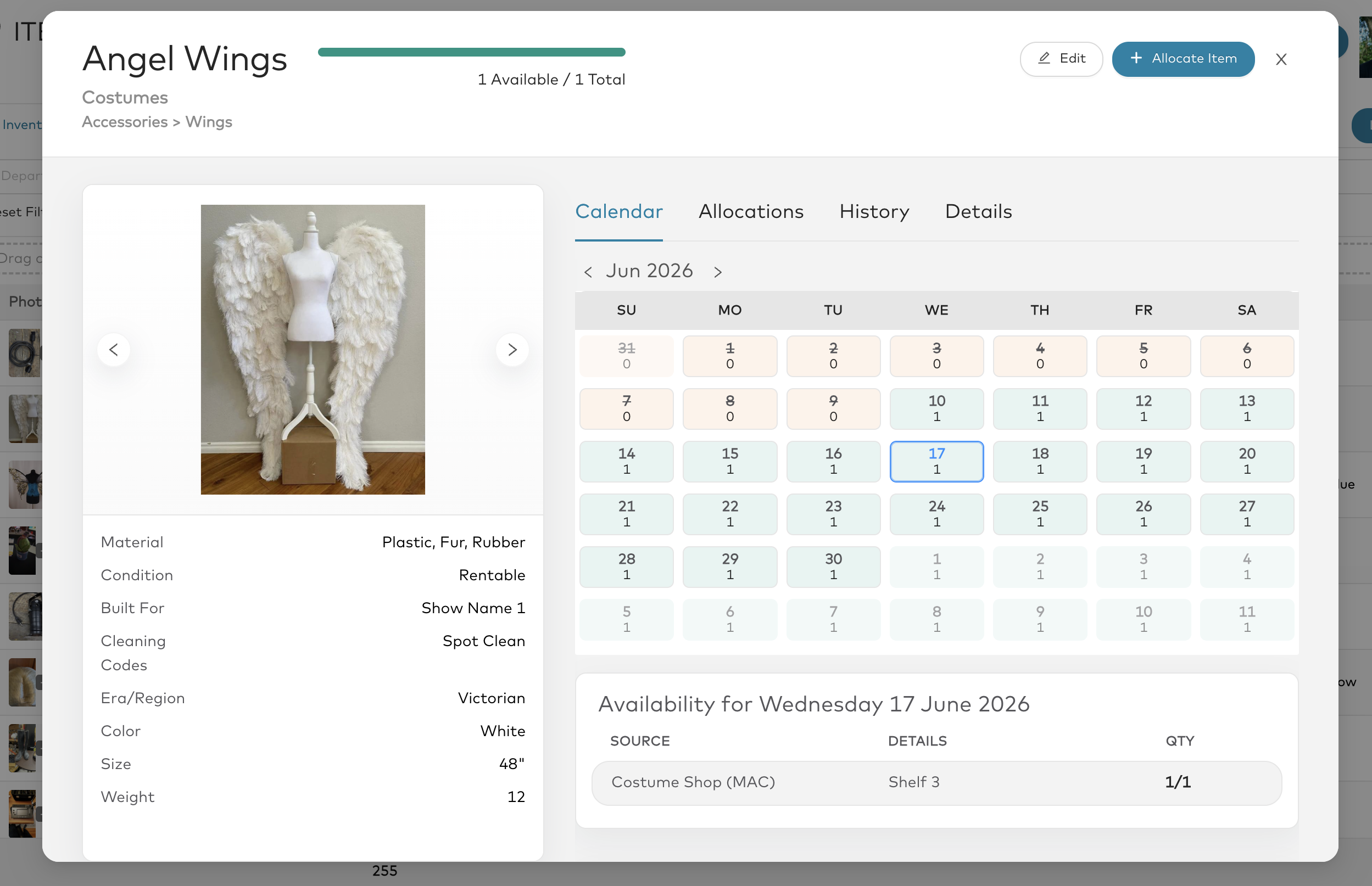
Let’s return to our ladder and fill it out.
• Department: Production
• Type: Ladder
• Keywords: Built for – Venue Use; Condition – Excellent; Material – Fiberglass
• Color: Bright Orange
• Size: 10 ft
• Weight: 27 lbs (useful for shipping calculations)
• Value per item: $250 (helps with insurance and budgeting)
Add Private and Public Details. Private is internal; Public shows up in production books (for example, “10 ft fiberglass ladder, 300 lb capacity”).
Then add photos—up to six per item. Drag and drop from your computer, crop, annotate, or blur faces directly in the app.
Finally, set the Source—where the item lives or comes from: a venue, warehouse, or vendor.
For example:
• One ladder at Main Stage
• One at Production Office
You can add new spaces as needed.
If you also rent ladders from a supplier, add that as an Organization and record rental details like “$20 per day per item.”
You can also specify where within a space an item lives—like “Shelf A3” or “Box 12.”
⸻
Collections
Now let’s create a collection—a group of items you often use together.
I’ll make one called Projector Package, which includes:
• Projector
• Projector Lens
• Power Cable
• Clamp and Stand
Collections save time when building project requirements later—you can add all related items at once.
⸻
The Mobile Companion App
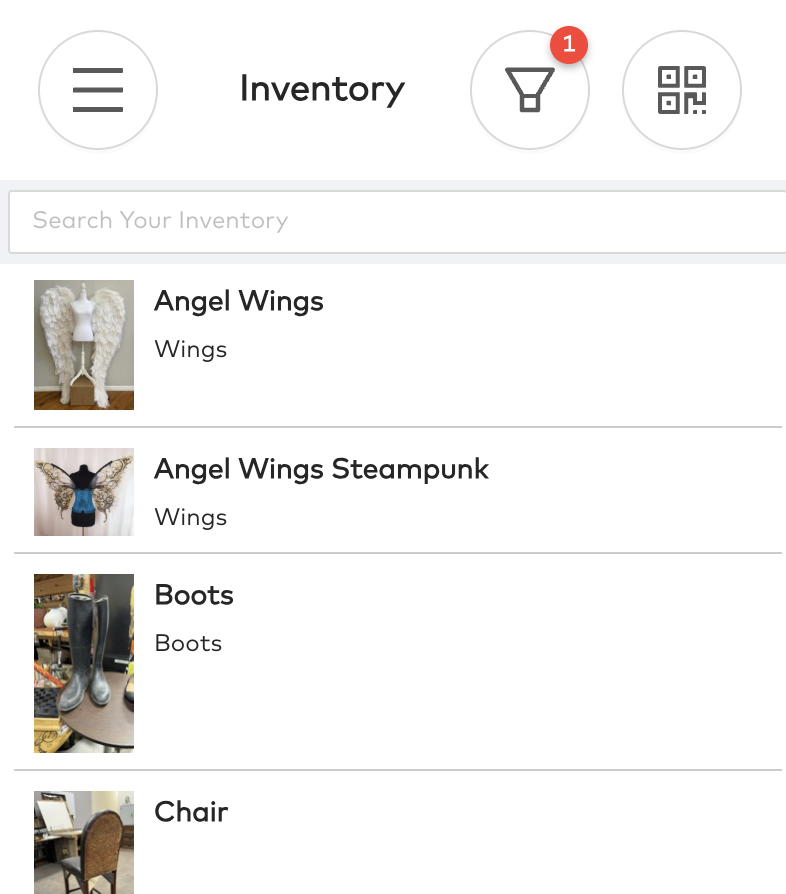
Now let’s look at the Propared Mobile Companion App, which helps you build and manage inventory faster—great for teams working on-site.
The app isn’t from an app store; it’s a responsive web app accessed via your phone browser.
From your Profile screen, click Companion App to send a magic link to your email.
Open it on your phone to log in instantly.
Add it to your home screen for a native app experience.
From there, you can search or filter inventory, open items, add or edit photos, and update details.
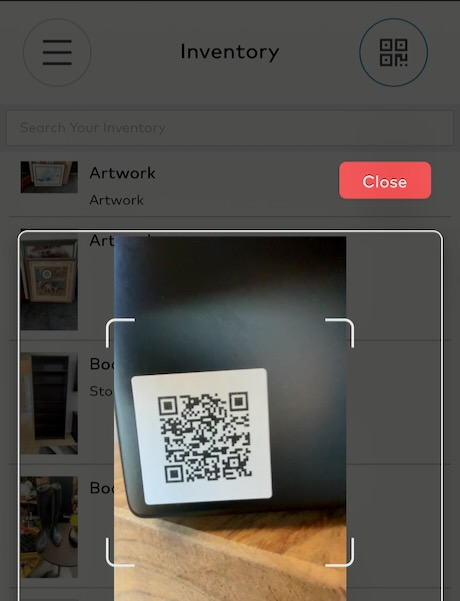
You can also create new items on the go—especially powerful when paired with QR codes.
⸻
QR Codes
Propared includes built-in QR code integration.
QR codes let you scan a label to open that item’s record instantly—no searching required.
Admins and inventory managers can generate batches of unique QR code URLs in a spreadsheet.
These aren’t assigned to any item yet, which means you can:
• Print codes ahead of time
• Stick them on items in the warehouse
• Scan them to create new inventory records on the fly
If a code is damaged, toss it—just link a new one.
You can print your labels yourself (e.g., Avery labels) or through a professional printer for durable or specialty materials.
Never reuse or edit the same URL twice—generate new codes when needed.
⸻
Tagging Items in the Field
In the warehouse, grab your QR labels and the mobile app:
1. Stick a label on an item.
2. In the app, tap + → Scan.
3. The app recognizes it as unassigned.
4. Enter the name (“Blonde Wig”) and take photos.
Take clear, well-lit pictures—multiple angles, serial numbers, plugs, textures.
You can even add multiple QR codes to the same record (e.g., one on the wig, one on the head block).
⸻
Sharing Inventory
Once your inventory is built, share it the same way you share everything else in Propared—via Production Books.
You can include an Inventory page alongside other pages (like Schedule or Notes), or create a standalone Inventory Book.
View it as a list or gallery, and filter by department, type, or keyword.
For example, create:
• A general Inventory Book for all departments
• A Costumes Inventory Book filtered to show just shoes
• Or a Props Inventory Book for rentals and loans
As new items are added, your shared books automatically update.
⸻
And that’s the basics of creating and sharing inventory.
Next, we’ll look at how to actually use your inventory inside your projects.